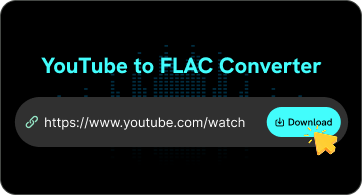
Copy a YouTube Link
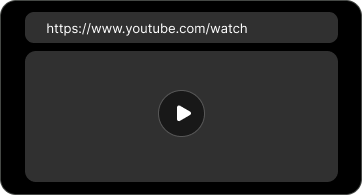
Copy the URL of the YouTube video you want to convert to FLAC. Make sure the video link is complete and accessible.

FliFlik online YouTube to FLAC converter lets you extract audio from YouTube videos and save it in FLAC format.
 Lossless FLAC FormatUnlimited DownloadsFast & Free Conversion
Copy the URL of the YouTube video you want to convert to FLAC. Make sure the video link is complete and accessible.
Paste the copied link into the FliFlik YouTube to FLAC converter. The tool will automatically parse the link and provide a FLAC download option.
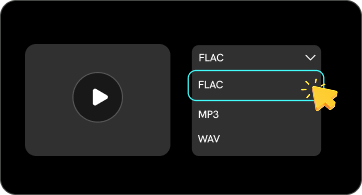
Select FLAC from the available audio formats and click Download. Your FLAC file will then be saved to your device.

Convert YouTube videos to FLAC format and save the audio for high-quality playback, offline listening, or personal music use.

Extract audio from YouTube videos and download it as a FLAC file, without complex conversion steps.

Save YouTube audio in FLAC format for use in music players, audio software, or personal audio collections.

Paste the YouTube link, and FliFlik will automatically analyze the video. Once the analysis is complete, a FLAC download option will be provided.

Use FliFlik directly in your web browser without downloading or installing additional software. It works whenever you need to save YouTube audio.

Access the YouTube to FLAC converter from desktop computers, laptops, and mobile devices through a supported web browser.
What Does FLAC Stand For ❓️
FLAC stands for Free Lossless Audio Codec. It is an open audio format that uses lossless compression technology to reduce file size while preserving the original audio data. Unlike lossy formats such as MP3, FLAC does not lose any audio data during the compression process.
What Is a FLAC File ❓️
A FLAC file is an audio file compressed using the FLAC format. It supports lossless audio compression, making it a popular choice for high-quality music playback, audio archiving, and editing. FLAC files are generally larger than MP3 files but smaller than uncompressed WAV files, while fully preserving the original audio data.
 Lossless CompressionMedium File SizeAudio Data PreservedHigh-Quality Playback & Archiving
A YouTube to FLAC downloader is a tool that extracts audio from supported YouTube videos and saves it as a FLAC file.
 We use cookies to improve your FliFlik experience. Read our policy here.