Free AI Face Swap — No Login Required
Try Free Now

Free Udio AI Music Downloader

Use Free Udio Downloader to save any Udio AI songs to MP3, WAV, MP4. Paste a Udio link and download instantly—no sign-up, 100% Free.

e.g. https://www.udio.com/songs/jGjYfsRosZjYTkSBdFgEyF

Unlock the Missing Udio Download Option with FliFlik

Udio lets you create music, but won't let you download it. FliFlik fixes that. Now you can easily save your tracks offline with these powerful features:

Download at Zero Cost

You can save your favorite Udio AI tracks without paying any fees. FliFlik gives you a completely free way to get your music. Download as many Udio songs as you want with no hidden credit system and no subscriptions. You do not even need to sign up for an account to start saving your creations and public songs.

DAW-Ready Audio Quality

Udio provides no way to download your music for secondary editing or production. FliFlik fixes this by converting Udio links into high-quality MP3 or WAV files. The output is clean, crisp, and fully compatible with any DAW. It delivers original quality, making it perfect for editing, mixing, or just offline listening.

Bulk Download Full Playlists

Saving your AI songs one by one takes too much time and effort. As a powerful Udio bulk downloader, FliFlik lets you grab entire Udio playlists all at once. Just put the link into the downloader, and it will batch-download every single track automatically. It is the fastest way to backup your whole music library.

Download Lossless Video

FliFlik allows you to save your Udio AI creations in high-quality MP4 format with synchronized lyrics and cover art. It keeps the video sharp and the text clear without any quality loss. This makes the files absolutely perfect for instant social media sharing as well as offline personal viewing anywhere.

How to Download Songs from Udio AI?

With FliFlik, you can convert any Udio link to MP3, WAV, or MP4 in just 3 easy steps below.

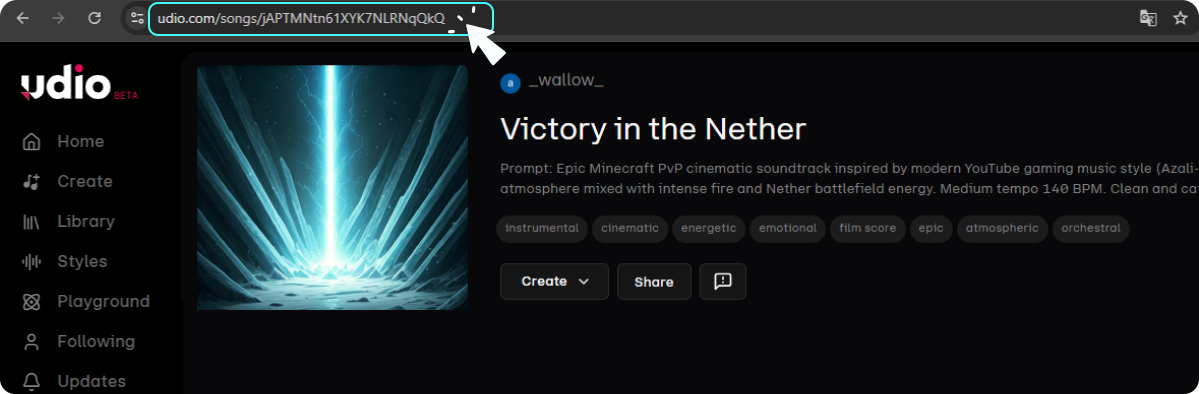
Step 1: Find and Copy the Udio Song's Link

Find the Udio song you want to download and copy the song's link from the address bar.
A typical link looks like: https://www.udio.com/songs/jGjYfsRosZjYTkSBdFgEyF

Find and Copy the Udio Song's Link

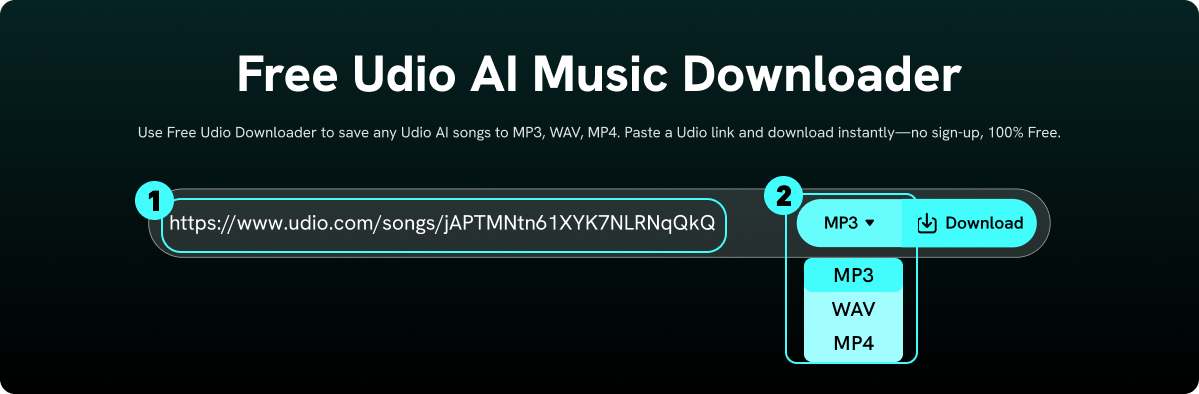
Step 2: Paste and Choose Preferred Format

Navigate to the FliFlik Udio Downloader and paste your link into the download bar, select the specific format you need, and hit "Download" to confirm.

Paste and Choose Preferred Format

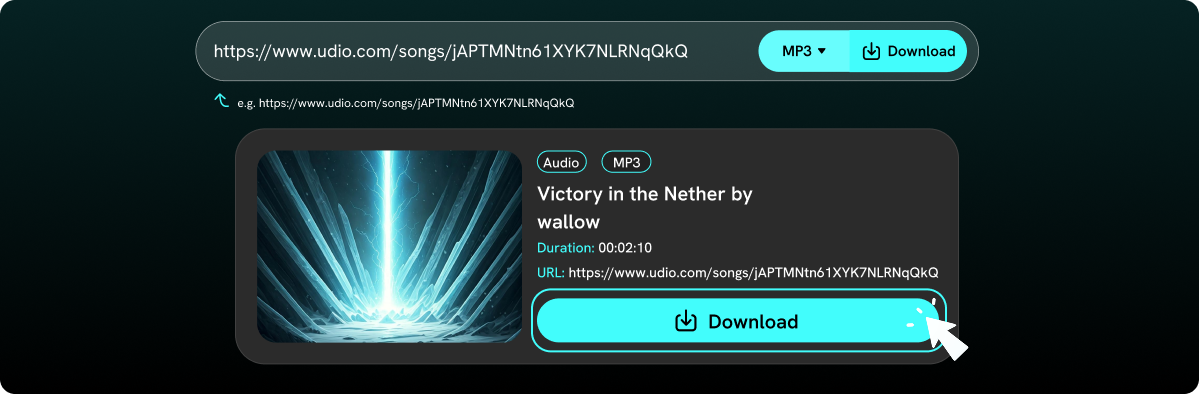
Step 3: Save Your Udio Music Offline

Our tool will fetch and analyze your link within seconds. As soon as the result is ready, just click the "Download" button to get your favorite Udio AI creation right away.

Save Your Udio Music Offline

What is Udio AI?

Udio AI is an advanced music platform that acts like a professional studio inside your device. While other generators just give you random background beats, Udio lets you deeply control your song’s structure, from custom intros to perfect endings. It delivers crystal-clear sound quality with radio-ready mixing and highly realistic vocal tracks. You don’t need to be a musician to use it; you just type your lyrics or ideas, and it gives you complete creative freedom to edit, extend, and own your tracks instantly.

Why a Great Udio Downloader Is Essential

The biggest reason you need a great Udio downloader is that Udio AI has officially turned off its direct download feature. You can no longer easily save your raw audio files directly from the platform. Beyond this major limitation, music creators and listeners have other important needs that only a reliable downloader can solve:

  • Get High-Quality Raw Files: To edit or remix your songs in other software, you need clean, uncompressed audio files (like WAV or high-bitrate MP3) that the web player cannot provide.

  • True Offline Listening: If you want to listen to your creations on your phone, in your car, or during commutes without worrying about internet connection drops or data usage, an Udio downloader is essential for you.

  • Protect Your Work: AI platforms change their policies or algorithms frequently. Downloading your tracks is the only way to permanently backup and secure your personal music library.

  • Easy Content Creation: Video editors and social media creators need a quick way to save their Udio tracks locally so they can immediately drag and drop them into video editing software.

While Udio gives you the power to create amazing music, a reliable Udio downloader is the ultimate key to truly owning it. It brings your creations straight from the cloud into your personal library. This ensures your songs are always safe, accessible, and ready for any professional project.

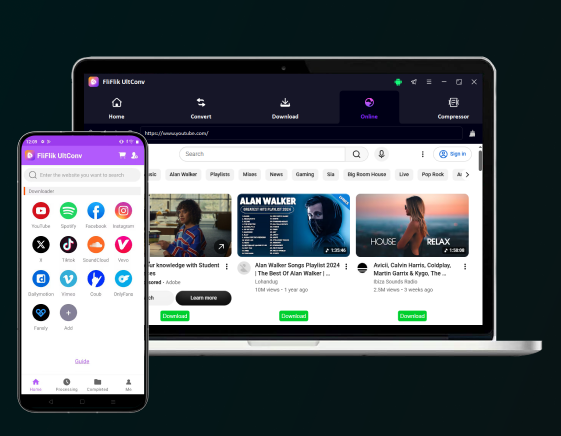
Level Up Your Udio AI Music Download Experience with FliFlik

No Daily Caps

Download as many Udio AI songs as you want without any annoying restrictions. There are no daily caps or hidden limits to slow down your music creation or stop your workflow.

Ultra-Fast Download

Save your favorite Udio tracks to your local device in just a few seconds. Our high-speed downloading engine keeps your creative process smooth, efficient, and completely lag-free.

All-Browser Workable

Run this online downloader seamlessly on any device with a web browser. There is no need to install heavy software; just open your browser on your computer or phone and start downloading instantly.

No Sign-In Hassles

The workflow is simple: just copy your favorite Udio track link, paste it into the download bar, and click Download. There is absolutely no registration, sign-in, or personal account required to start.

Zero Security Risks

FliFlik guarantees a clean experience with zero malware or hidden ads. Your personal privacy, browser history, and local audio files always stay completely secure, safe, and private under our protection.

Native Language Options

Switch the website interface into more than 10 global languages like English, Spanish, and Traditional Chinese. Enjoy a familiar, friendly setup that speaks your native language perfectly.

FAQs about Udio Song Downloader

Officially, no, as Udio no longer supports native downloads. Fortunately, you can easily save any Udio track using FliFlik Udio Downloader in just a few clicks.

More Music Creation Tools with FliFlik

cookieWe use cookies to improve your FliFlik experience. Read our policy here.