High-Quality YouTube to M4A
Download YouTube to M4A audio while maintaining clear sound quality. Whether you are saving music, podcasts, interviews, or lectures, you get high-quality audio files that are convenient to listen to anytime.

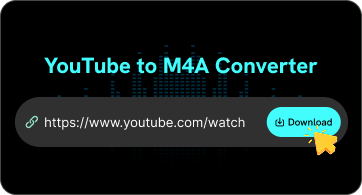
Convert YouTube videos to M4A online with FliFlik. Paste the YouTube link, choose M4A, and click Download to save the audio.
 Fast ConversionHigh QualityFree to Use
Explore the main features that make downloading YouTube video or audio as M4A files simplely.
Download YouTube to M4A audio while maintaining clear sound quality. Whether you are saving music, podcasts, interviews, or lectures, you get high-quality audio files that are convenient to listen to anytime.

Convert YouTube videos to M4A format with just a few clicks. Simply paste the YouTube link and select M4A to quickly save the audio for offline listening, creating personal playlists, or everyday use.

Use this online YouTube to M4A converter directly in your browser. No software installation is required, allowing you to easily convert audio on your computer, smartphone, or tablet.

Save YouTube audio as M4A for music, podcasts, interviews, lectures, and other audio content. It's a convenient way to keep audio files for offline listening, personal collections, or playback on compatible devices.

The M4A format stores only audio without including a video track, allowing it to maintain high sound quality while reducing unnecessary file size. It is a practical choice for saving music, podcasts, and other audio content when video is not required.

You can convert YouTube MP4 to M4A format on Windows, Mac, iPhone, Android, and other devices using your browser. Enjoy listening to the audio offline anytime, anywhere.
You can convert YouTube videos to M4A format in just a few simple steps.
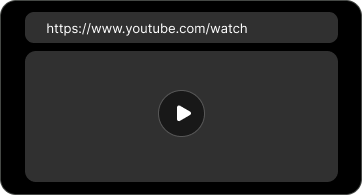
Copy the URL of the YouTube video you want to convert to M4A format. You can choose music videos, podcasts, interviews, lectures, or other videos.
Paste the copied URL into the converter above. FliFlik will automatically process the link and provide the available conversion options.
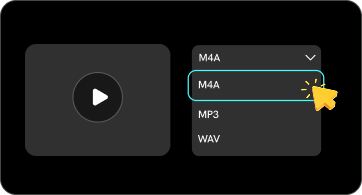
Select M4A as your preferred audio format, then click Download to start converting the YouTube video to M4A.
M4A strikes the perfect balance between sound quality, file size, and convenience. Compared to formats like MP3, WAV, and MP4, it’s an excellent choice when you want to download audio from YouTube without keeping the video.
 Video Included
 Offline Listening
A YouTube to M4A converter lets you download high-quality audio from YouTube videos, Shorts, and playlists and save it as M4A for offline listening.
 We use cookies to improve your FliFlik experience. Read our policy here.