1
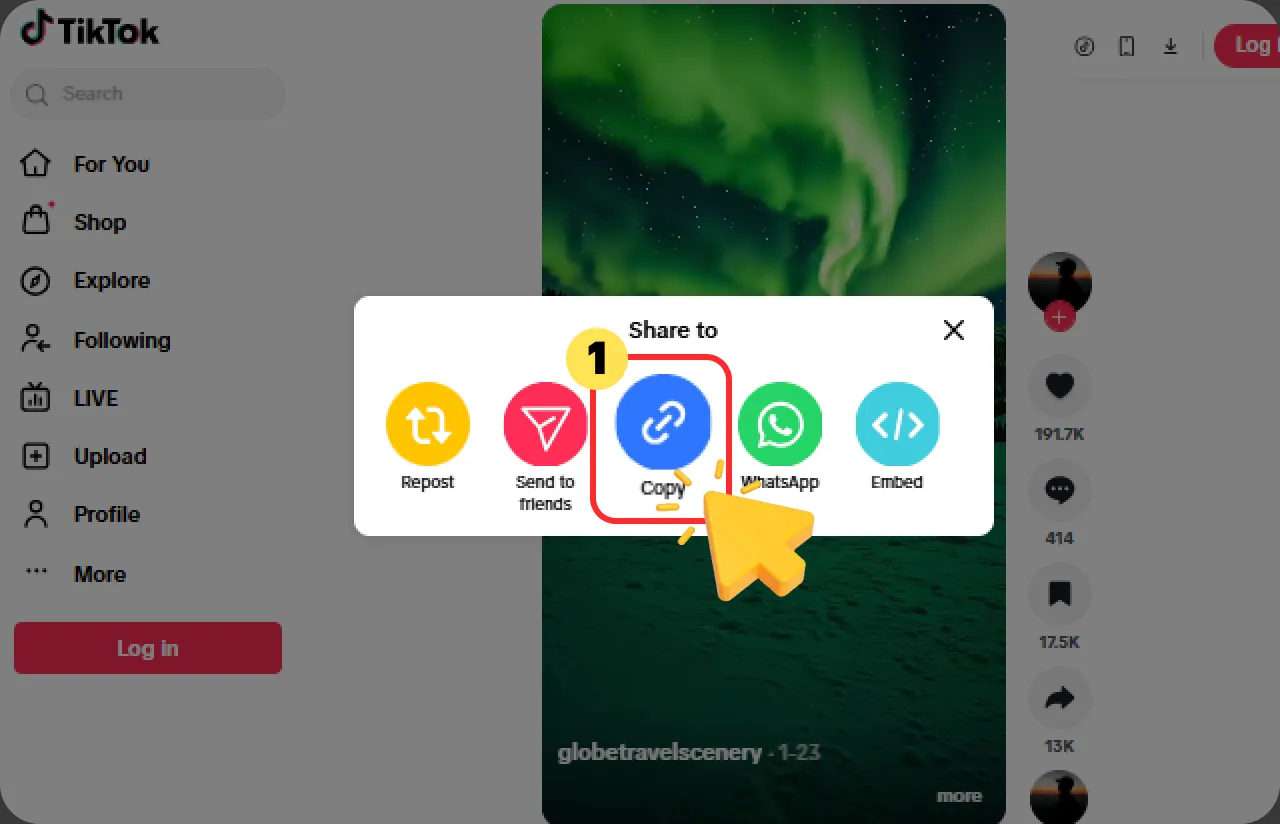
Copy the TikTok Story Link
Open TikTok, go to the profile with the active story, and tap the avatar circle with the colored border. Then tap the Share button and select "Copy link".

Download TikTok stories without watermark and save them as MP4, photo, or MP3 before they disappear.
 No Login100% FreeHD QualityNo Watermark
Here are 3 simple steps on how to save a TikTok story.
Open TikTok, go to the profile with the active story, and tap the avatar circle with the colored border. Then tap the Share button and select "Copy link".
Paste the copied TikTok story link into the FliFlik input box and click the "Download" button. The tool detects whether the story is a video or a photo and shows every available format.
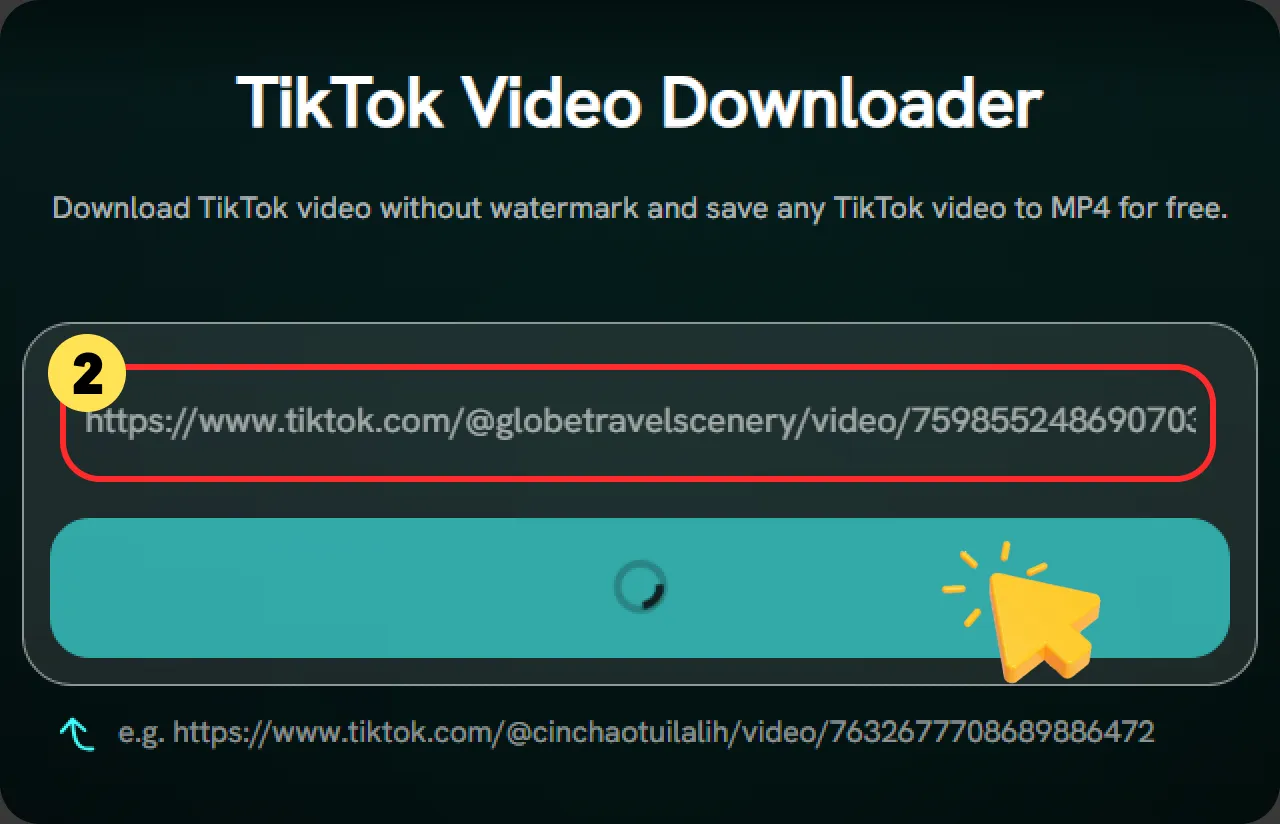
Pick the format you need and save the TikTok story without watermark directly to your device. The entire process takes just a few seconds.
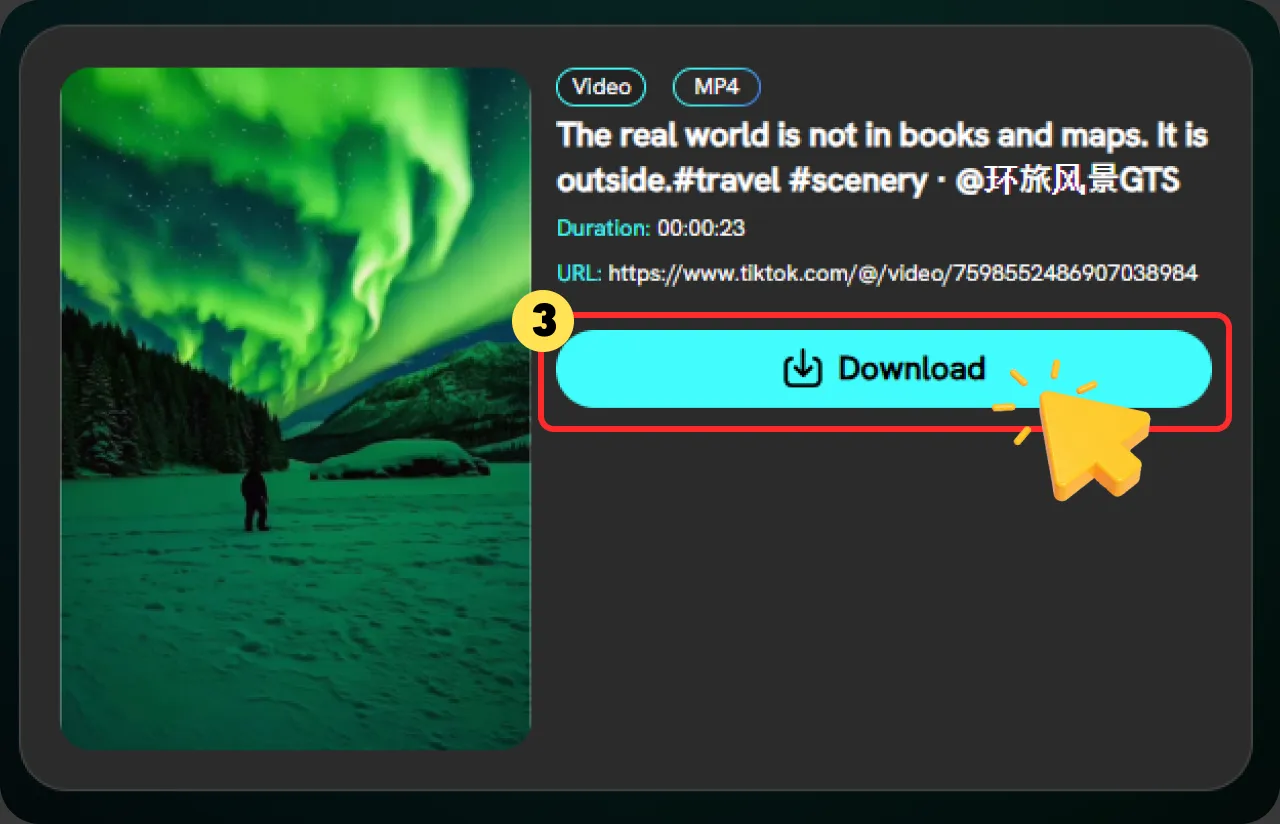
Our TikTok story download app will allow you to download TikTok stories and save them to your device completely anonymously. No matter what devices you use!

Download TikTok story no watermark using this free TikTok Stories Downloader. The file is fetched as TikTok stores it, with no logo or username stamp.

TikTok stories disappear about 24 hours after they are posted. You can paste the link while the story is still live and save it before the window closes.

The tool auto-detects whether the story is a video or an image and offers the matching download options: MP4 for video stories, the image file for photo stories, and MP3 for the audio track alone.

TikTok story saver preserves the TikTok stories up to 1080p Full HD resolution. Stories up to 60 seconds long are supported, including the original audio and effects.

Enjoy a secure and reliable downloading experience without malware or hidden risks, while keeping your privacy protected. No registration and no download history stored.

Download TikTok stories smoothly on any device, including computers, smartphones, and tablets, with a seamless experience across all major browsers.
Avatars with a blue, red, or purple border have active stories. If you do not see the border, either you have already watched the story, or it has been more than 24 hours since it was posted and TikTok has removed it.
Yes. FliFlik is a web-based tool that lets you download TikTok story content for free. Just copy the story link, paste it into FliFlik, and click "Download".
 We use cookies to improve your FliFlik experience. Read our policy here.