

Multi-Threaded Concurrent Download
Our tool uses multi-threading to download multiple video segments simultaneously. This significantly speeds up the process, especially for large video files.

Free download M3U8 videos online. Your browser fetches the playlist segments and saves them as an MP4 file.
 Multi-Threaded DownloadVisual Progress GridRetry Failed Segments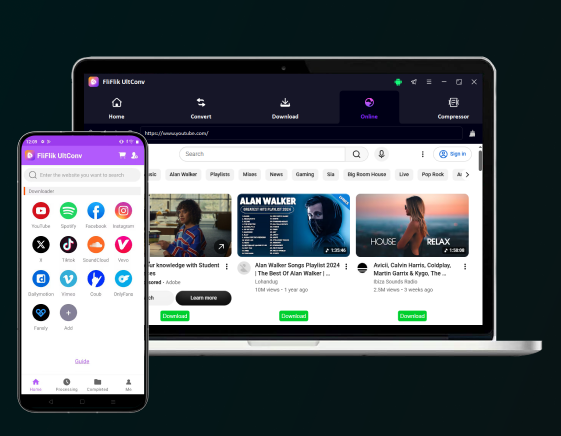


4.8, 1.8K Ratings
 Download videos & music to MP4, MP3 with best quality.Download playlists, channels, albums in 1 click.100% successful download with 10x faster speed.Support downloading from 10,000+ streaming websites.
FliFlik is a professional M3U8 downloader designed to help users download M3U8 video quickly, reliably, and for free.
Our tool uses multi-threading to download multiple video segments simultaneously. This significantly speeds up the process, especially for large video files.

See the status of every segment at a glance. The live grid shows each segment's progress, with colored blocks indicating downloaded, pending, or failed segments. This gives you complete visibility into the download process.

If some segments fail to download (e.g., due to network issues), you can retry them individually. Just click the red block representing the failed segment to restart its download.

Once all segments are downloaded, our tool automatically merges them into a single video file. The merged file is saved locally to your device. For maximum compatibility, you can then convert it to MP4.

Segments are primarily downloaded by your browser. Files blocked by CORS are relayed through a server-side proxy for security. Merging and saving happen locally in your browser, and the server does not store your video.

Use our M3U8 download online service directly in your browser. No need to install apps, extensions, or additional software.
Follow this quick guide to save your favorite M3U8 video streams.
Find the .m3u8 playlist URL of the video you wish to download. This is often available in the video player's source code or by using browser developer tools.

Paste the copied M3U8 link into the input box on FliFlik and click the "Download" button. Our tool will analyze the playlist and prepare the video segments for download.
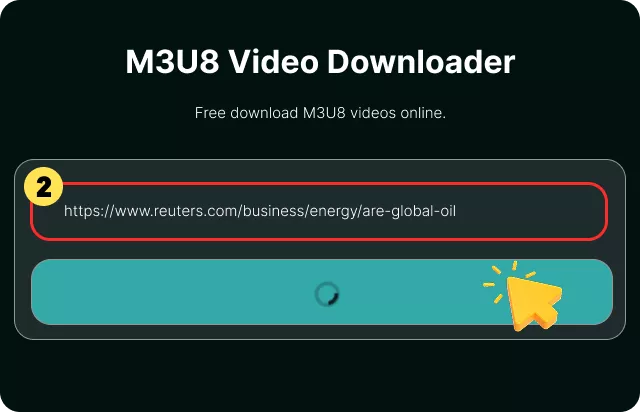
The tool will automatically merge the segments and save the video to your device. You now have a single video file ready for offline viewing.
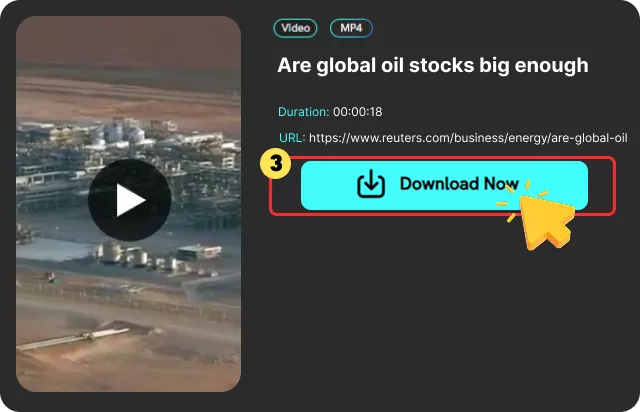
To download video from M3U8, you first need to locate the .m3u8 playlist URL. This link is usually not visible on the webpage and requires using your browser's developer tools.
💡 The most common method is as follows:
Step 1. Open Developer Tools: Right-click anywhere on the page playing the video and select "Inspect" (or press F12). Navigate to the "Network" tab.
Step 2. Filter for M3U8: In the filter bar, type .m3u8 or m3u8. This will show only the playlist files.
Step 3. Refresh and Play: Refresh the page and start the video. The network tab will capture the .m3u8 URL as the video loads.
Step 4. Copy the URL: Right-click the .m3u8 file in the list and select "Copy" > "Copy link address".
Alternatively, you can use browser extensions designed to detect M3U8 streams on a page. Once you have the URL, paste it into our M3U8 download online tool to save the video. Remember, only download content you have the legal right to access.

I used this M3U8 downloader to save some online course videos. The multi-threaded download was impressively fast, and the progress grid gave me complete visibility. Highly recommended!

Sophia Miller

FliFlik makes downloading M3U8 video incredibly easy. I especially appreciate the ability to retry failed segments individually—it saved me from restarting a large download.

Emily Johnson
I've tried several tools to download video from M3U8 links, but FliFlik is by far the best. The visual progress and auto-merge features are game-changers.

Michael Brown
I used this M3U8 downloader to save some online course videos. The multi-threaded download was impressively fast, and the progress grid gave me complete visibility. Highly recommended!
Sophia Miller
FliFlik makes downloading M3U8 video incredibly easy. I especially appreciate the ability to retry failed segments individually—it saved me from restarting a large download.
Emily Johnson
I've tried several tools to download video from M3U8 links, but FliFlik is by far the best. The visual progress and auto-merge features are game-changers.
Michael Brown
Yes, it is completely free with no sign-up and no download limits.
 We use cookies to improve your FliFlik experience. Read our policy here.