

Free to Save
Unlike other downloaders that require paid monthly subscriptions, FliFlik is a free Crunchyroll downloader. You can easily save and enjoy your favorite anime series without worrying about hidden costs, paywalls, or unexpected fees.

Free download Crunchyroll to MP4 & MKV in high quality. No account needed—just click and save.
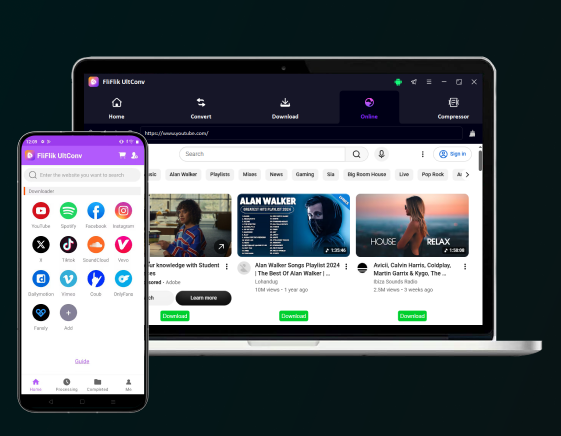


4.8, 1.8K Ratings
 Download videos & music to MP4, MP3 with best quality.Download playlists, channels, albums in 1 click.100% successful download with 10x faster speed.Support downloading from 10,000+ streaming websites.
Unlike other downloaders that require paid monthly subscriptions, FliFlik is a free Crunchyroll downloader. You can easily save and enjoy your favorite anime series without worrying about hidden costs, paywalls, or unexpected fees.

Official downloads are locked inside the app and become unavailable after your subscription expires. FliFlik lets you download from Crunchyroll directly to your local storage, so you can build your own anime library.

FliFlik grabs original video streams directly from Crunchyroll with zero quality loss. Easily download anime from Crunchyroll in stunning HD quality for a crystal-clear offline viewing experience anytime you want.

This powerful downloader gives you the total freedom to choose your preferred output format. Smoothly save Crunchyroll videos to MP4 for universal device compatibility, or convert them to MKV to preserve multi-lingual audio and subtitle tracks.
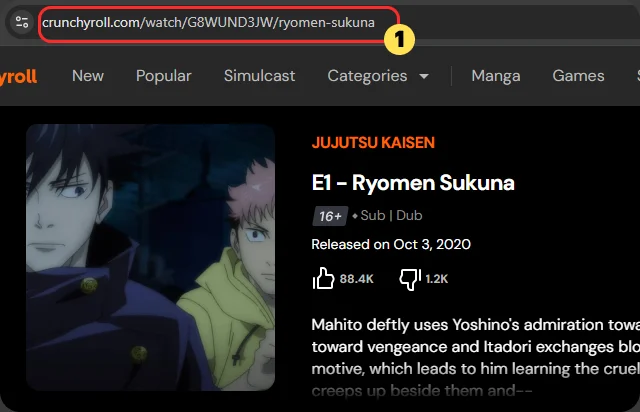
On a computer, play the Crunchyroll anime you want to download in your browser, and copy the link from browser's address bar directly. In Crunchyroll mobile app, tap the share icon to get the video's link.
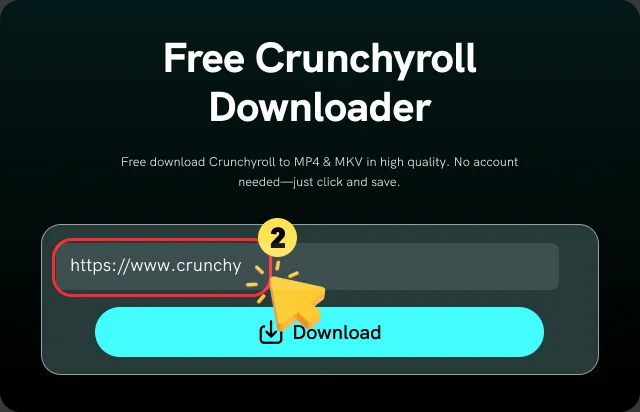
Paste the copied link into the input field of the FliFlik Crunchyroll Downloader, and it will analyze the link automatically.
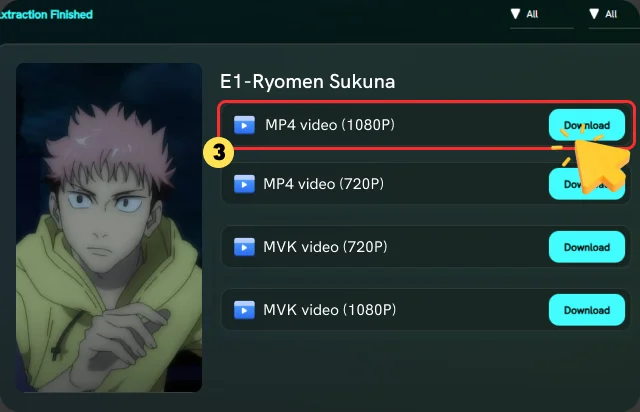
Once the analysis is complete, click the "Download" button to save the anime directly to your device.

There are no daily or monthly download caps at all. Save as many anime episodes as you want with the Crunchyroll episode downloader and binge-watch entire seasons at once.

No registration, login or installation is required. Just copy the Crunchyroll video link, paste it into FliFlik, and click the "Download" button. It is that simple to download anime from Crunchyroll.

Powered by a cloud engine, FliFlik delivers lightning-fast downloads. Save your favorite Crunchyroll episodes in minutes and enjoy a seamless experience without long wait times.

FliFlik provides a clean, safe, and seamless environment to save your favorite anime without interruptions. No need to worry about annoying pop-ups or hidden malware.

FliFlik offers over 10 interface languages, including English, Español, Português, Italiano, 繁體中文, 日本語, 한국어, etc. You can switch the interface to your preferred language for a user-friendly experience.

As a web-based tool, FliFlik runs perfectly on any browser. Easily access and save Crunchyroll videos on Windows, Mac, iOS, and Android from any browser.
Compare FliFlik Crunchyroll Downloader and the official Crunchyroll download features to find the best way to download Crunchyroll anime.
 Works on All Devices
 Mobile app onlyNo Subscription requiredMega Fan or Ultimate Fan subscriptionSaved permanently on your deviceExpires in 7 daysMP4 or MKV filesEncrypted in-app files onlyAny media playerOnly inside the Crunchyroll appOffline library on any deviceTemporary offline viewing on mobile
If you download anime on Crunchyroll, the downloaded anime are stored in the Downloads section of the mobile app. To find them, open the app, go to My List, and select Downloads. Please note that you can only view them within the app, and they will expire 48 hours after you start playing them.
 We use cookies to improve your FliFlik experience. Read our policy here.