Save Coursera Course Videos
Download Coursera course videos and lectures to your device so you can study or review anytime, anywhere.

Save videos from Coursera marketing courses, video editing courses, Photoshop courses, database courses, human resources courses, Spanish courses, sales courses, and more.
 Easy to SaveHigh-Quality VideosAnytime Access
Keep your favorite lessons on Coursera in high quality for convenient offline viewing and review anytime, anywhere.
Download Coursera course videos and lectures to your device so you can study or review anytime, anywhere.

Save important Coursera lectures so you can easily review difficult points, key concepts, and course materials whenever needed.

Download online course videos before heading to work or school, and use your commute to study Coursera courses without relying on a stable internet connection.

Save course videos before flying, driving, or traveling abroad so you can keep learning even without Wi-Fi or mobile data.

Keep downloaded Coursera videos for offline study, allowing you to learn easily even in places with poor or no internet connection.

Curate a collection of your favorite course videos and lectures to revisit, review, and study at your own pace.
Download your favorite Coursera course videos in just three simple steps.
Keep them on your device in high quality for offline viewing and review anytime, anywhere.
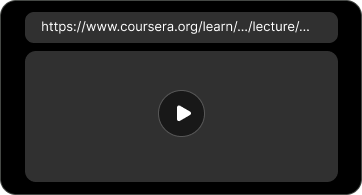
Open the Coursera lecture you want to save and copy the URL of its video page from your browser.
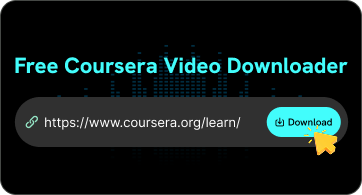
Paste the copied Coursera video link into the FliFlik online video downloader and let it analyze the available videos.
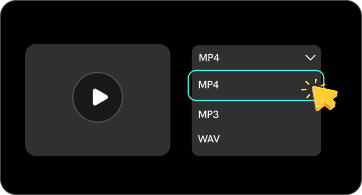
Choose your preferred video quality and download Coursera course videos to watch offline anytime, anywhere.
Want to download a Coursera lecture but don't know where to find its video URL?
At first, finding the direct video URL on Coursera may seem a little complicated, especially if you’ve never used your browser’s developer tools before. Follow a few simple steps to locate the video URL and copy it to our Coursera Video Downloader.
⭐ Step 1: Open the lesson
Open the Coursera course and play the video you want to download.
⭐ Step 2: Find the video request
Open Inspect → Network, refresh or play the video, and search for mp4.
⭐ Step 3: Copy the URL
Find the request marked video/mp4, copy its Request URL, and paste it into our Coursera Video Downloader.

My internet connection isn't always stable, especially when I'm traveling. I use FliFlik to download Coursera courses in advance so I can keep learning without worrying about network issues.

Jonny

Some courses on Coursera are worth watching repeatedly. I appreciate being able to save the videos I need so I can re-watch them later to review difficult concepts or prepare for exams.

Mark
I'm not very familiar with technical downloading tools, so I wanted something simple and easy to use. FliFlik is incredibly intuitive; I can quickly save the Coursera videos I need without having to deal with complex software.

Kimi
My internet connection isn't always stable, especially when I'm traveling. I use FliFlik to download Coursera courses in advance so I can keep learning without worrying about network issues.
Jonny
Some courses on Coursera are worth watching repeatedly. I appreciate being able to save the videos I need so I can re-watch them later to review difficult concepts or prepare for exams.
Mark
I'm not very familiar with technical downloading tools, so I wanted something simple and easy to use. FliFlik is incredibly intuitive; I can quickly save the Coursera videos I need without having to deal with complex software.
Kimi
A Coursera Video Downloader is an online tool that helps you download any Coursera course video for offline watching.
 We use cookies to improve your FliFlik experience. Read our policy here.